AI for Wedding Planning (Part 1): Replace Your $4,000 Planner
You can now fire your $4,000 wedding planner and replace them with Claude.
I planned my own wedding without a planner, and Claude has gotten about 10x better since then. This is Part 1 of my AI Wedding Planning series. Send this to your bride, your groom, or anyone drowning in spreadsheets and Pinterest boards.
Here is what I actually built, plus what I would do today now that the models are so much stronger.
Why this matters
Wedding planning is a full-time job nobody pays you for. You are juggling vendors, deadlines, family politics, and a budget that somehow keeps growing. A human planner costs thousands. Claude does not replace taste or relationships, but it can handle the repetitive, organizational work that eats your weekends. That is the whole point of this series.
Key insight: You do not need one perfect AI tool. You need a small stack of focused workflows — timeline, site, budget, seating, branding — each built for one job.
The top 5 things I would build first
1. Build a wedding timeline planner
Tell Claude your wedding date, type (destination, church, courthouse, multi-day), and guest count. Ask it to build a full 12-month timeline with every deadline: book venue, send save-the-dates, final headcount, rehearsal dinner, all of it.
Then have it drop those dates into a shared Google Calendar or a Notion page you and your partner both use. You get one source of truth instead of three group chats and a Notes app.
How to start: Open Claude, paste your date and basics, and say: "Build a month-by-month wedding planning timeline. Flag anything that should happen 9–12 months out vs. 30 days out." Export to Calendar or Notion when you are happy with it.
2. Vibecode your entire wedding website
Pre-built sites like Zola, The Knot, and Joy are fine for a template wedding. We wanted something custom and very us: our story, our registry logic, even a singles matchmaking corner for friends (yes, really).
Vibecoding let us ship a site that does not exist on any wedding platform. You describe what you want, iterate in Lovable or Bolt, and publish. No engineering degree required.
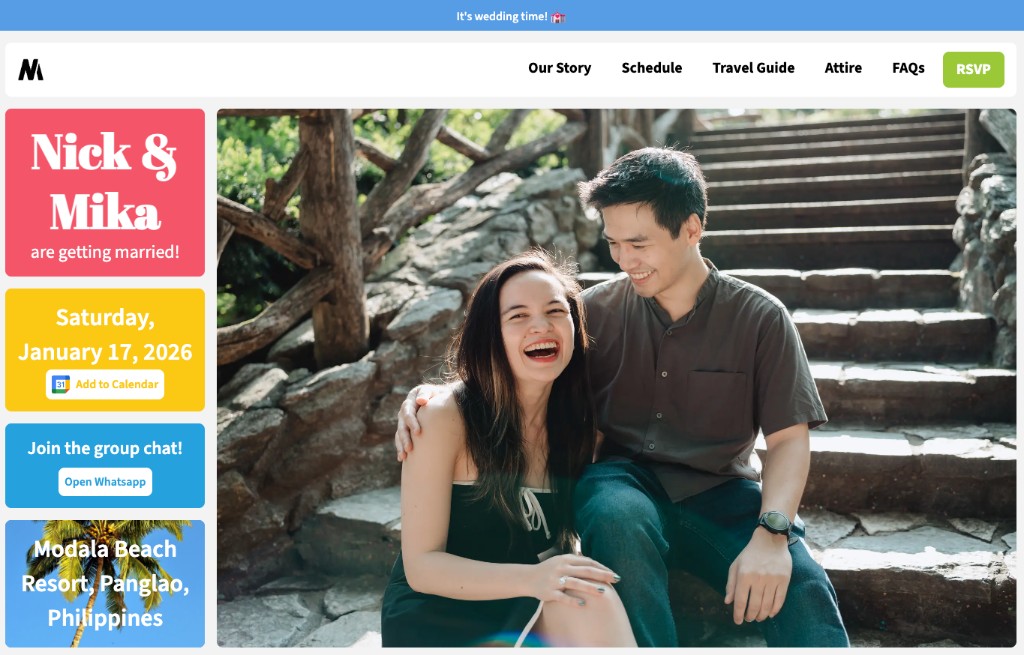
This is our actual wedding website. Color blocks, our hero photo, one-click RSVP. None of that layout exists on a template.
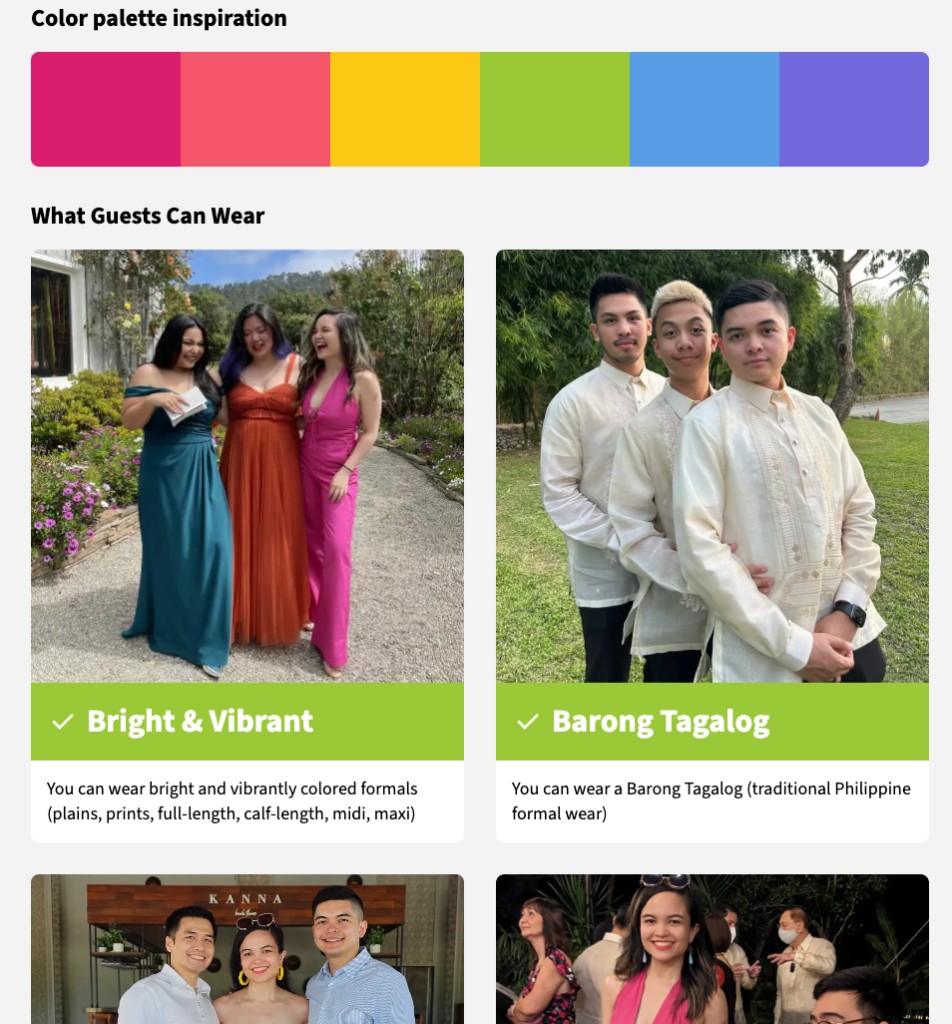
For our Attire page, we wanted guests to actually understand the dress code. We made it fun by using photos of ourselves and our guests in bright formals, Barong Tagalog, and the rest.
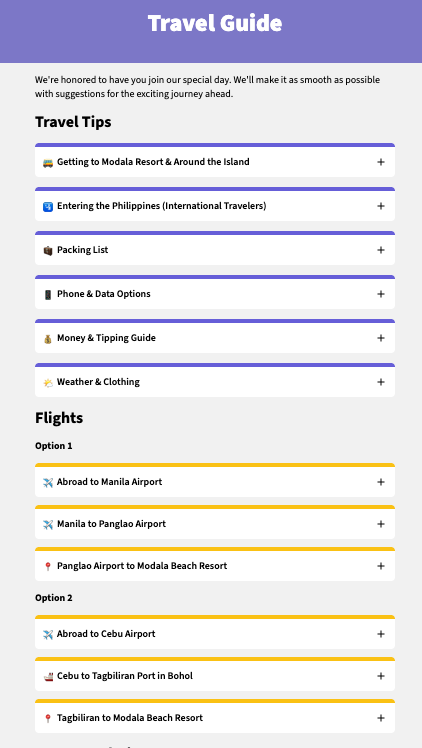
We had a destination wedding in the Philippines, so we built a very specific travel guide: getting to the resort, entering the country, packing, phone data, and two flight-route options. The goal was to make the trip extremely smooth for guests flying in from all over.
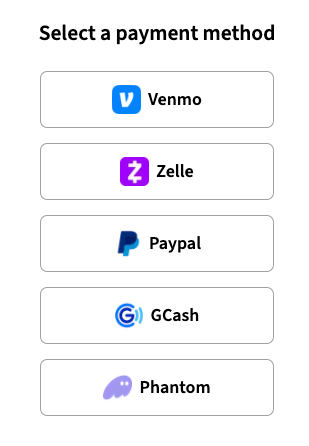
Our guests were from different countries, so we gave them custom payment options on the registry: Venmo, Zelle, PayPal, GCash, and even Phantom for crypto-native friends.
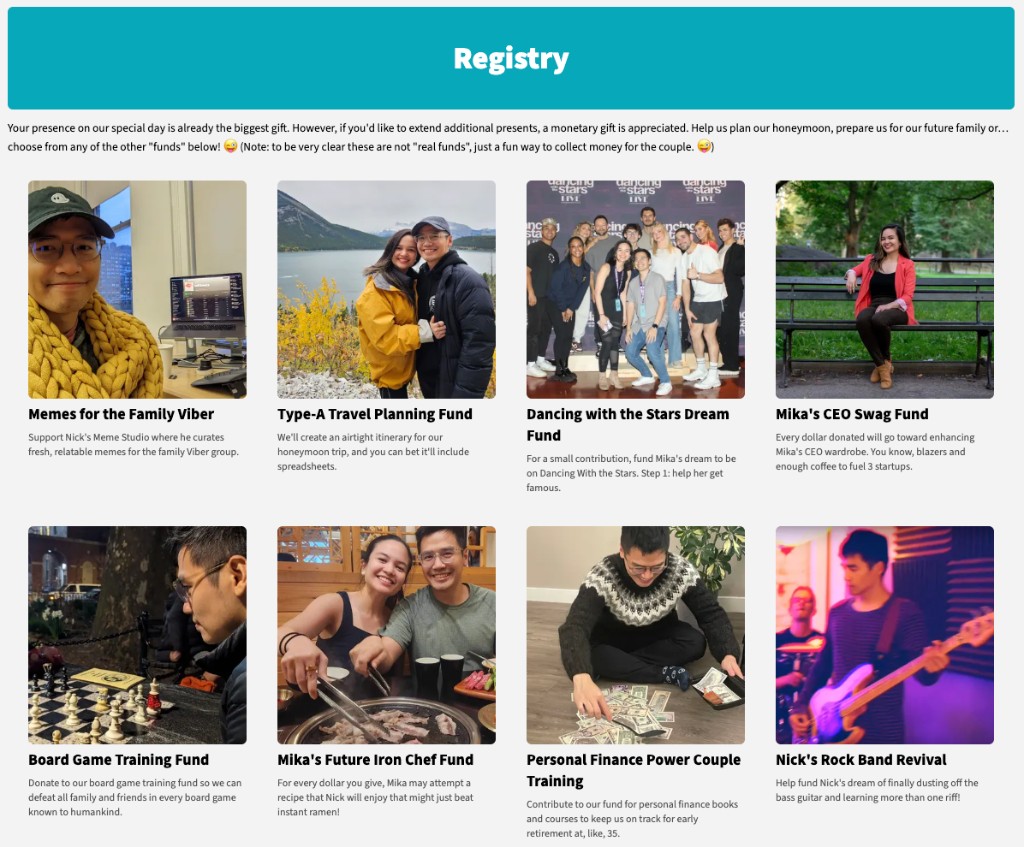
And we made the registry cute and funny. Memes for the family Viber, a Type-A travel planning fund, Dancing with the Stars dream fund, board game training, and more. Not a traditional Crate & Barrel list.
How to start: Write a one-page brief: pages you need (RSVP, schedule, travel, registry), tone, and any weird ideas you are afraid to ask a template for. Feed that to Claude first, then your vibe-coding tool.
3. Set up a budget and expense tracker
Give Claude your total budget, guest count, and location. Ask whether your number is realistic for your market. It will break down typical line items (venue, catering, flowers, photography) so you see where money actually goes.
Connect Gmail and Google Drive so Claude can auto-pull vendor invoices and receipts, then run the math weekly. You stop guessing whether you are over budget until it is too late.
How to start: Share your target budget and city. Ask for a percentage-based breakdown and red flags. Once vendors start emailing contracts, point Claude at your inbox or a Drive folder.
4. Solve the seating chart puzzle
I love puzzles, so I did ours by hand. But you do not have to.
Feed Claude your table count, general groups (college, work, family), who the couples are, and all the drama. Who cannot sit together? Who must sit together? It will mix and match assignments until you have a workable chart to tweak.
How to start: List every table, capacity, and guest name with 1–2 tags (e.g. "bride college," "groom work," "both families"). Add hard rules: "Alex and Jordan cannot share a table." Let Claude propose a first pass.
5. Create wedding graphics and branding
Pull your Pinterest or Instagram pegs into Claude Design. Ask for a wedding brand guide: colors, fonts, mood, illustration style. Use that doc as the reference when you generate custom art in ChatGPT images or when you vibe-code your website so everything matches.
How to start: Collect 5–10 inspiration images. Ask Claude Design for a one-page brand guide you can hand to any vendor or AI image tool.
More in this series
- Vibecode a wedding matchmaking site — We built a singles corner for wedding guests. Forty-two unique visitors on the day of. Wild and very on-brand for us.
- Wedding vendor search and outreach — How to use Claude to research vendors, draft outreach, and compare quotes without living in your inbox.
Let me know what else you'd like to see!